
Conclusion
The feed judgment of a label feeder relies on a fiber optic sensor, not on mechanical travel. There is only one rule for setup: the fiber optic working set value must be higher than the sensing value in the no-label state by a margin; the example in the manual is 200. When the set value is higher than the sensing value and the indicator light is on, a label is detected. Empty picks, missed placements, and no-label false alarms on the production line are mostly not mechanical faults, but rather this margin not being set accurately, or the tape not running straight at the fiber optic point.
The fiber optic sensor handles two things in the feeder
First, whether there is a label on the peeling platform. The placement machine’s nozzle comes to pick material according to the program, and the feeder must give a “material present” signal in advance; without a signal, the machine should not pick.
Second, whether the label has been delivered in position. Once the feed distance or tape direction changes, the sensing value at the fiber optic point changes accordingly, and alarms often emerge from here first.
The display interface of most models combines these two things into one detection circuit, and the parameter settings then determine whether the material-present signal and feed signal are connected to the placement machine.
How to determine the set value: four steps
- Switch to manual mode, retract the tape to a position on the peeling platform where there is no label, and read the sensing value displayed on the amplifier;
- Add the margin to this value; the reference number given in the manual is 200, i.e., the working set value is 200 greater than the no-label state;
- Use the two buttons on the fiber optic amplifier to increase or decrease the set value;
- Return to automatic mode, feed a row of labels through, and confirm that the light is on when a label is present and off when no label is present.
The margin is not a fixed value. With translucent backing paper, light-colored labels, or small label areas, the difference between the sensing value and the empty state is small, so the margin should be set wider; conversely, with thick labels and strong light blocking, too large a margin will delay the “no label” report, the feeder will continue feeding empty, and the placement machine will pick from an empty platform.
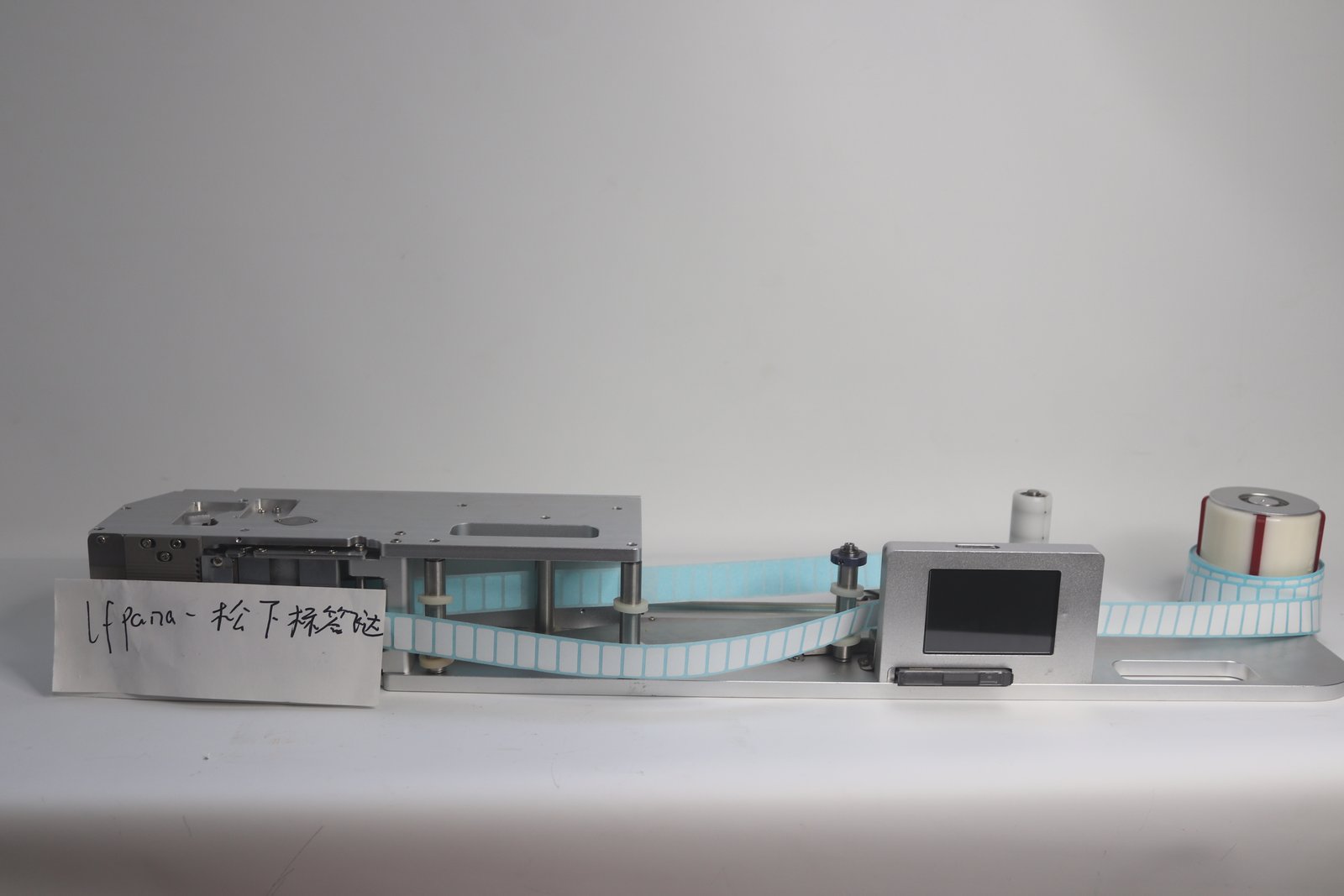
The image above shows the overall appearance of a roll-label feeder, with the fiber optic amplifier and display mounted above the body.
Four other parameters on the display
The fiber optic sensor only answers “present or not”; whether feeding is stable also depends on the following four items:
| Parameter | What it controls | Adjustment method in the manual |
|---|---|---|
| Feed position | The distance delivered each time | If labels curl up or are fed too far, it is too large; if labels are not delivered in position, increase it |
| Feed speed | The speed of label feeding after peeling is complete | When placement speed is not the priority, setting it at 30–50 is sufficient for relatively stable feeding |
| Feed delay | How long to wait after feeding a row before feeding again | Unit 0.1 s; use it to stagger timing when the manipulator picks slowly and feeding is fast |
| Production count | The count for each row fed | Long press to clear and restart counting |
These four parameters affect one another. When speed is increased, the feed position must be fine-tuned accordingly; when the feed position is increased, the tape posture seen by the fiber optic sensor also changes, and the set value must be checked again. In terms of order, it is recommended to set speed first, then position, and finally recheck the fiber optic margin; adjusting in reverse will overturn the previous results.
Missed detection and false alarms: check in this order
Step one: look at the light. The peeling platform clearly has a label but the light is off: first check whether the fiber optic point is blocked by the label, then check whether the fiber optic head is contaminated with adhesive residue. Adhesive residue is a common source of this type of problem; wiping it clean usually restores it.
Step two: look at the margin. No label but the light stays on: the working set value is too low; add margin again according to the method above.
Step three: look at the tape. The light flickers on and off, and alarms are intermittent: the tape sways left and right during travel, and its position at the fiber optic point changes. Recheck the threading path—whether the retaining ring limits the label roll, and whether the guide width-limiting slider has been moved into position according to the roll width.
Step four: look at the power supply. The feeder’s working voltage is 24 V, and the current must be greater than 2 A. The manual requires that it not share a power outlet with high-power equipment. When voltage is low, the feeding action fails first, and detection then reports errors, which is easily mistaken for a fiber optic fault.
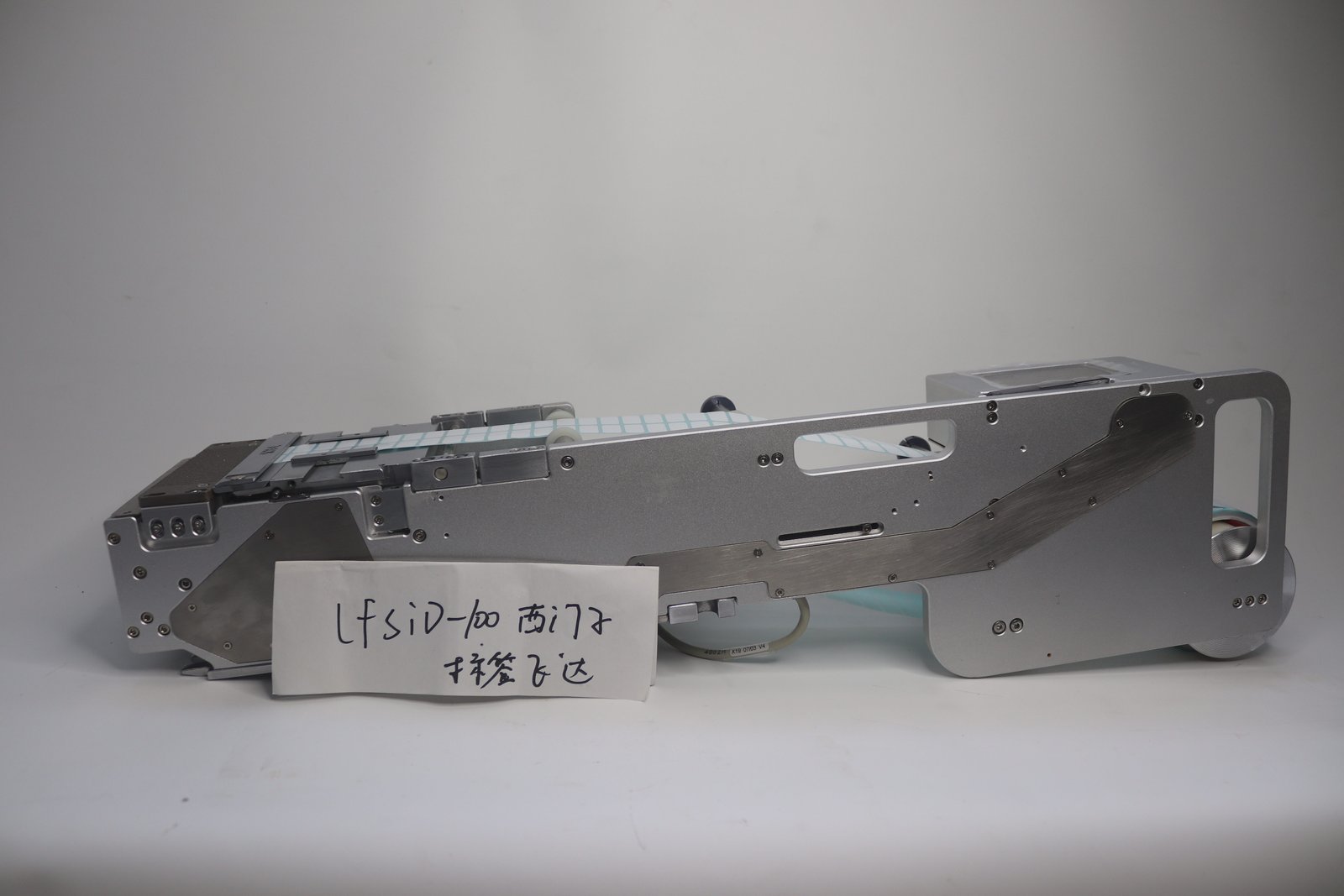
The image above shows the LFSID-100 roll-label feeder, with body width designed according to standard placement machine platform dimensions.
The threading path determines detection repeatability
The fiber optic sensor reads the state of the tape at a certain fixed point; once the tape direction changes, the reading changes. The threading sequence in the manual is:
- The label roll starts from the label mounting shaft sleeve, passes through the winding shaft, and the retaining ring limits the roll to prevent left-right swaying;
- Loosen the set screws on the guide width-limiting slider, and move the guide block to the appropriate position according to the roll width;
- The tape passes through the pressing plate; the pressing plate height is adjusted according to label thickness, with the four set screws tightened in coordination;
- Press the pressing cover lever down to open the pressing cover, clamp the label roll between the pressing cover and the drive shaft, then press the pressing cover down to clamp it;
- The empty roll is recovered by the waste tape recovery shaft sleeve.
Keep the tape angle straight throughout. When this step is done properly, detection repeatability follows naturally—when the same roll is loaded several times, the sensing value should fall within the same range.
Some labels are inherently difficult for the fiber optic sensor to judge
For small-size labels, light-colored or translucent backing paper, the gap between the sensing value and the empty state is small, and no matter how wide the margin is, it is easily consumed by operating fluctuations. The countermeasure is on the mechanical side: for small labels that are difficult to peel, the direction of the peeling blade can be changed to use the side with a smaller angle; tighten threading and guiding so that the tape stops at the same position each time.
Narrow tapes inherently have small alignment tolerance. The LFFUJI-32 used on the Fuji NXT platform handles label widths of 2–23 mm, and the LFFUJI-100 handles 2–58 mm; both are single-row structures, and labels have little lateral margin on the peeling platform, so a half-millimeter threading deviation will make the fiber optic reading jump.
Operating habits for changing material and machine setup
Use manual mode for loading and changing material, and automatic mode for production. In manual mode, there are separate buttons to feed one label and to advance or retract the roll a small step; using them to find positions during setup is faster than repeatedly starting and stopping.
For linkage with the placement machine, select the material-present signal or feed signal in the interface parameter settings and connect the corresponding signal cable; if the feeder is not to communicate with the machine, the feeder feeds at its own pace, which is suitable for automatic label replenishment when the platform has no labels.
For models and width ranges, see the label feeder page; for the inspection sequence for jams and peeling blades, see Daily Maintenance and Common Jamming Causes of Label Feeders.