
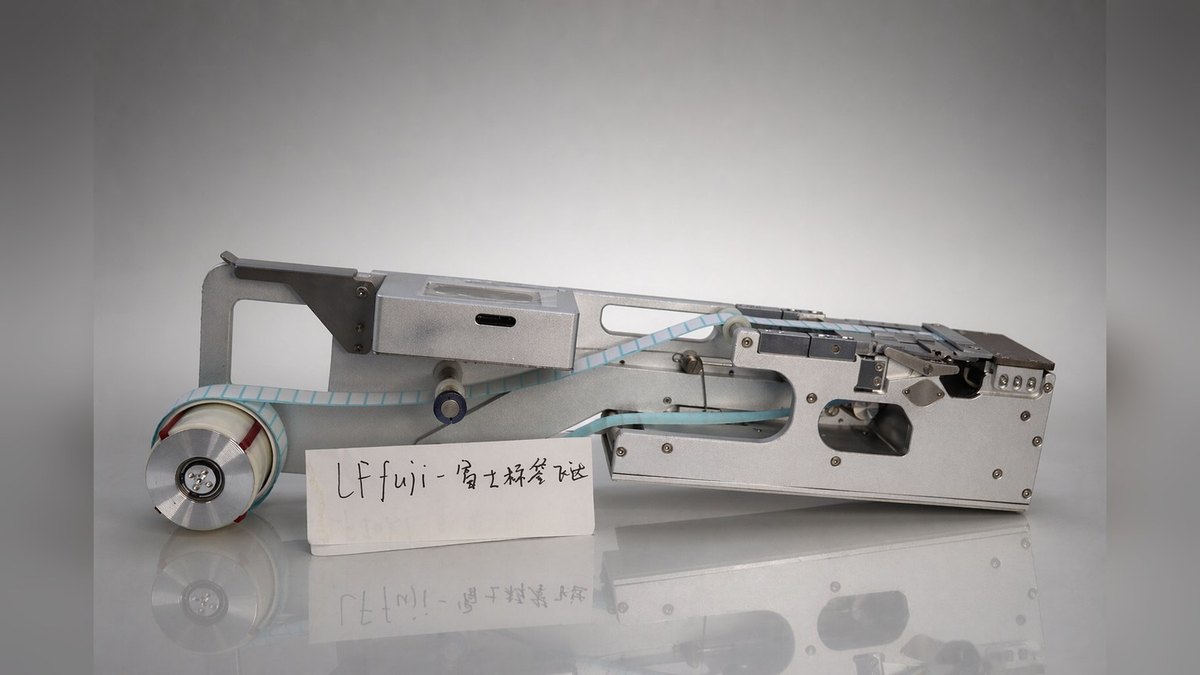
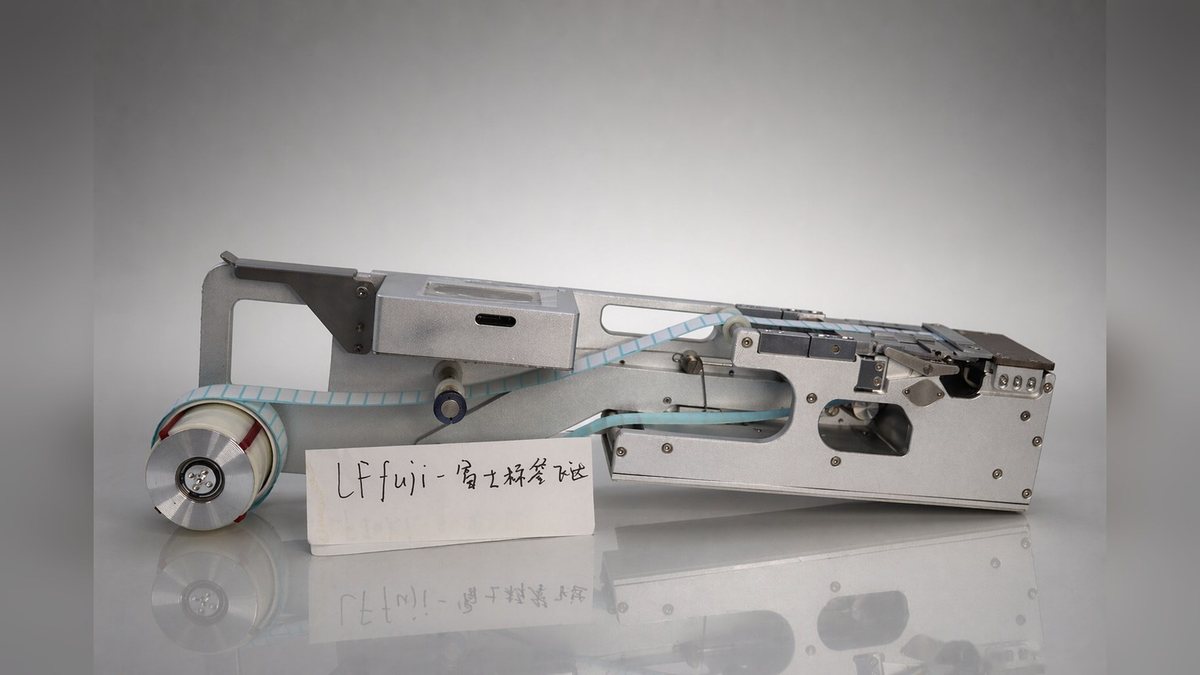
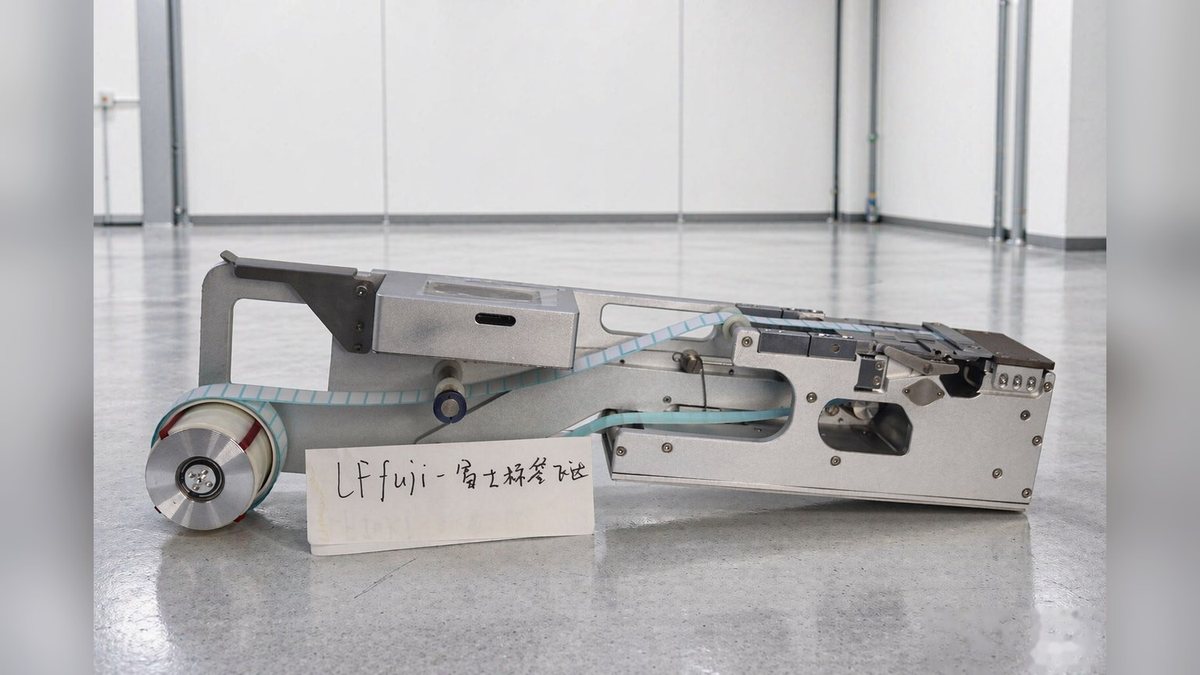
LFFUJI-100 is a reel label feeder made by BestFeeder for FUJI NXT series placement machines. It is mounted on the machine’s existing feeder slot, and the placement head picks the label and places it directly onto the board. Label width covers 2–58 mm, label length L2–40 mm, with a single lane and one fiber sensor, a body of 660 × 140 × 170 mm and a weight of 5.6 kg. It suits lines already running NXT that do not want to separate the labeling process: small-piece materials such as FPC stiffener steel sheets, Mylar sheets, dust mesh, and nameplate labels can all go onto the board together with the placement cycle.
Main Parameters
| Item | Value |
|---|---|
| Model | LFFUJI-100 |
| Compatible model | FUJI NXT series |
| Dimensions | 660 × 140 × 170 mm |
| Weight | 5.6 kg |
| Label width | 2–58 mm |
| Label length | L2–40 mm |
| Number of lanes | 1 |
| Fiber sensor | 1 |
| Operating voltage | 24 V DC, current must be greater than 2 A |
Structure and Configuration
The tape path starts at the label mounting sleeve: after the label reel is placed on the sleeve, it passes through the winding roller shaft, and a retaining ring limits the reel to prevent side-to-side sway. The guide width-limiting slider handles lateral positioning—loosen the set screw inside to move the guide block according to the reel width; then the tape passes through the pressing piece, whose height is adjusted by four set screws according to label thickness. Press the pressing cover lever down to open the pressing cover, the tape is clamped between the pressing cover and the drive shaft, and releasing the lever clamps it tight. The peeled empty tape is taken up by the waste tape recovery sleeve. On one side of the panel is a touchscreen, where working status, feeding position, feeding speed, feeding delay, and production quantity are all set on screen. The whole machine has a single-lane structure, with a body length of 660 mm, occupying one standard feeder slot width.
Application Scenarios
Multi-variety, small-batch boards are the main occasion for this model: when a board has only one or a few small labels, using the feeder to load along with the placement machine saves a separate labeling machine and one loading/unloading cycle. When product changeovers are frequent, the label feeder switches together with the placement program, requiring no extra production scheduling. If the label area is larger, the placement position requires visual alignment, or the workpiece is not a PCB, then a labeling machine line should be considered instead.
Installation and Debugging
Before installation, confirm the available height and load capacity of the feeder slot. The LFFUJI-100 has a body length of 660 mm, so this length must be allowed for at the mounting position. The power supply is 24 V, and the current must be greater than 2 A; do not share the same power plug with high-power equipment. Thread the tape along the path in the previous section, keeping the tape angle straight, as deviation will cause an unstable peeling position. The fiber amplifier setting is the key point in debugging: adjust the setting value to about 200 greater than the sensing value in the no-material state; when the light turns on with material present, detection is stable. It is recommended to adjust the on-screen parameters in this order: first switch the working mode to manual for loading and material change, and adjust the feeding position according to label size; when not pursuing the placement cycle, the feeding speed can be set to 30–50 for more stable feeding; for small label sizes and slow robot pickup, a little feeding delay can be added, in units of 0.1 s. When connecting with the placement machine, set the communication signal in the parameters and connect the signal wires. For small labels that are difficult to peel, the peeling blade can be turned to the side with a smaller angle.
Common Questions
Q: What should I do if the label is not fed into position? A: Increase the feeding position value. If the value is too small, the tape is not fed enough; if too large, the label tilts up or is fed too much. Adjust in small steps according to the actual state.
Q: The fiber sensor does not detect material? A: Check whether the working setting value is about 200 greater than the sensing value in the no-material state. If the setting value is too low, it will always judge material as present; if too high, it will misjudge material as absent.
Q: How do I operate during material change? A: Switch to manual mode before loading and changing material. In manual mode, you can feed step by step or move the reel forward or backward a small step. After changing, switch back to automatic mode to continue production.
Q: Peeling becomes unstable after increasing the feeding speed? A: After changing the speed, the feeding position must be fine-tuned accordingly; the two are linked. Prioritize stable feeding, then consider speed.
Q: Can it be linked with the placement machine? A: Yes. The on-screen parameters support setting the communication signal with the labeling machine, provided the signal wires are connected properly. For wire sequence and signal requirements, refer to the wiring and communication instructions.
After-Sales and Spare Parts
Before shipment, product parameters are adjusted according to the samples provided by the customer, so it can be used once connected to power after receipt; online remote guidance can be arranged for unfamiliar operations, and if parts need replacement, send the product back for handling. The warranty period is one year from the date of purchase. During the warranty period, free repair is provided for faults caused by the product’s own quality problems; beyond the warranty period, or in cases of disassembly by unauthorized personnel, exposure to solvents, acids, alkalis, or humid environments, or abnormal external impact, the free service does not apply. Repair service is still available beyond the warranty period, charged according to the actual parts replaced and labor hours.
Confirming compatibility for the LFFUJI-100 requires only two pieces of information: the FUJI NXT model you are running, and the maximum label width. Send these two items to Kenny Pan, Sales Manager, mobile/WeChat +86 134 2139 1163, Sales@baxida-tech.com, and we will provide the mounting dimensions and supporting list.