
Conclusion
When label placement is off, don’t rush to change parameters. Deviation usually falls into two types: every label offset in the same direction with similar magnitude is mechanical reference offset; wavering left and right with varying magnitude is unstable tape feeding. The former calls for adjusting the reference, the latter for checking the tape path. Adjusting both mixed together will make parameters increasingly chaotic and will throw off values that were originally correct.
The label feeder’s positioning accuracy ±0.2 mm and angle accuracy ±0.5° are calibrated values measured under the premise that labels are delivered flat and square to the pick position and the tape does not shift. If the premise is not met, these two numbers do not hold, and no amount of adjusting the feed position will compensate.
Basis: First Determine Which Type of Deviation
Take a dozen or so labels consecutively from the same roll and note the deviation direction and magnitude of each; no measuring tool needed, visual inspection is enough to distinguish.
| Phenomenon | Determination | Handling direction |
|---|---|---|
| Same direction, similar magnitude | Mechanical reference offset | Output table reference, stop ring, pick center |
| Direction changes, magnitude changes too | Unstable tape feeding | Guide width, tape slitting, peeling state |
| Appears only after changing rolls | Loading position | Roll against stop ring, threading path |
| Appears only in one column | Inter-column reference | Column spacing of multi-column tape |
The value of determination lies in saving time: if the direction is consistent, no need to dig into the tape—look directly at the reference; if the direction jumps around, don’t look for causes in parameters, parameters cannot solve tape feeding.
Details: Four Adjustable Points for Reference Offset
Roll axial position. If the roll is not against the stop ring, the whole roll leans to one side, and the entire tape drifts off as it runs. When loading, push the roll against the stop ring before locking; once this step is done, axial deviation is basically eliminated.
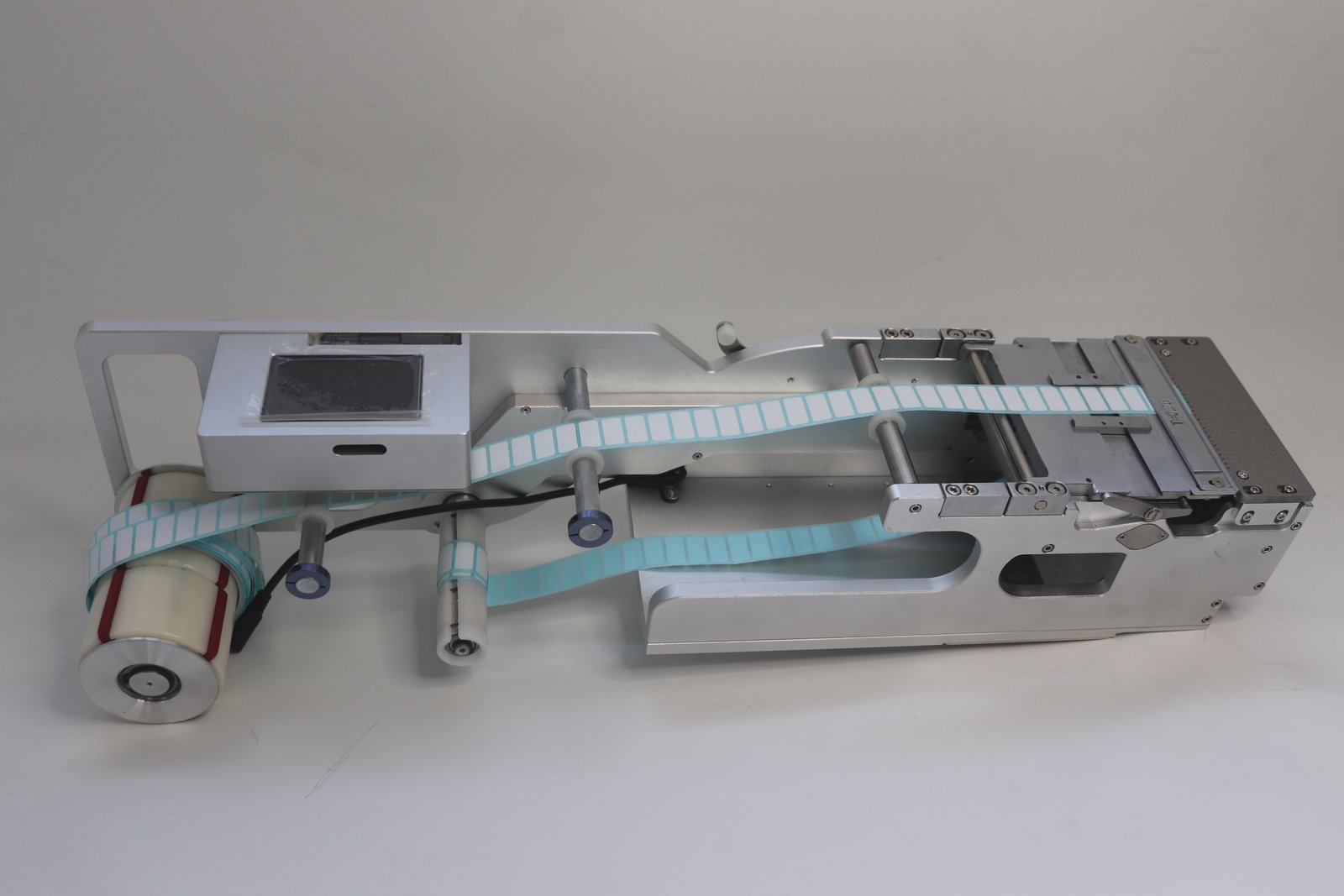
Output table guide width. The guide being slightly wider than the tape is correct; too wide and the tape will sway left and right. Narrow it until the tape passes smoothly without pinching the edges; over-narrowing will press against the tape and feeding will jam instead.
Fiber-optic stop position and feed position. The stop position relies on the fiber-optic sensor detecting the label edge; the working value is the reading with no material plus 200; if the label is not delivered far enough, increase it. If the feed position is too large, the label shoots past the peeling knife and curls up; if too small, the label is not delivered far enough. Feed speed and feed position are a set: change the speed and the position must be re-adjusted. When not chasing placement speed, setting feed speed to 30–50 is more stable. If the robot picks slowly while labels are fed fast, use feed delay to stagger them, unit 0.1 s.
Pick center. If the nozzle center does not coincide with the label center, angle deviation is amplified, showing as increasingly skewed picks. This item must be aligned on the placement machine, not adjusted via the feeder.
Details: Four Common Causes of Unstable Tape Feeding
Tape slitting quality. If the slitting blade is offset or the edges are uneven, the tape will wobble in the guide. This type of deviation cannot be fixed by adjusting equipment; change the roll or change the slitting source.
Tape path for large labels. For large label sizes, do not route around the winding shaft. Routing around equals one reverse fold; the release paper springs back, and both peeling and stop positioning become unstable.
Peeling knife angle and label length. For material that is hard to peel and prone to sticking, use a small-angle knife face with the peeling point further forward; for regular material use a large-angle knife face. The peeling knife and pressure plate are magnetically positioned; after removing for cleaning, reinstall in the original slot—do not move the position yourself.
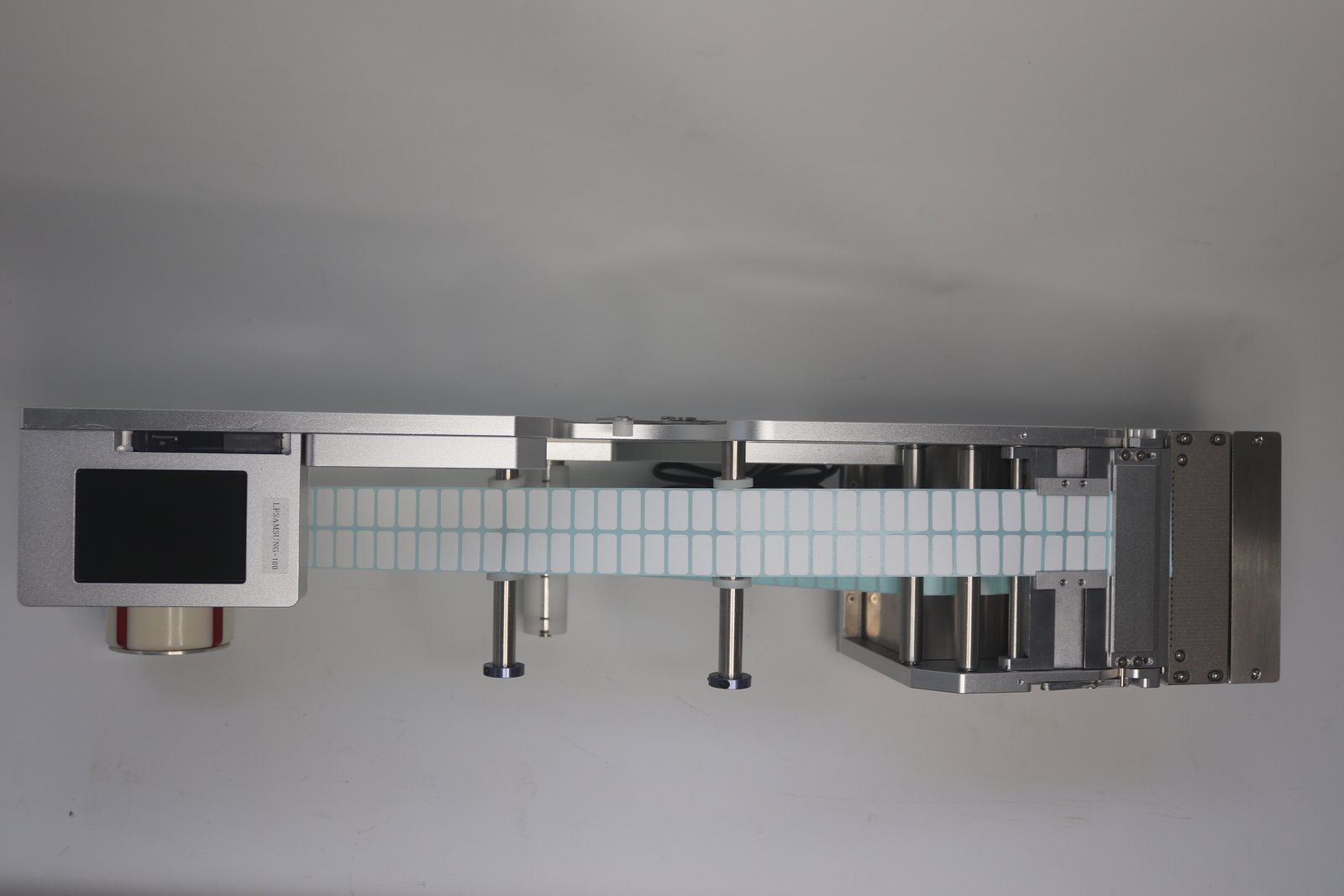
Inter-column reference for multi-column labels. The column spacing of two-column and four-column tape is set at slitting; inter-column deviation is a tape issue, and the feeder can only manage the position of the entire tape. Causes of left-right drift in two-column tape describes the determination method; you can refer to it first.
Six Pieces of Information to Report to the Factory
To judge deviation accurately, first state these items clearly: bare label width times length, number of columns, placement machine brand and model, label material and release paper type, deviation direction and magnitude, frequency of occurrence. Missing one item means the other party can only give general advice, and one round of back-and-forth costs several more days.
BestFeeder’s label feeder product line is tiered by label width; the Siemens D platform corresponds to LFSID-100, covering 2–98 mm label width and up to 14 columns. Before installing the station, align the roll axial position and the output table guide, and reference offset can be pressed down to near the calibrated value.