
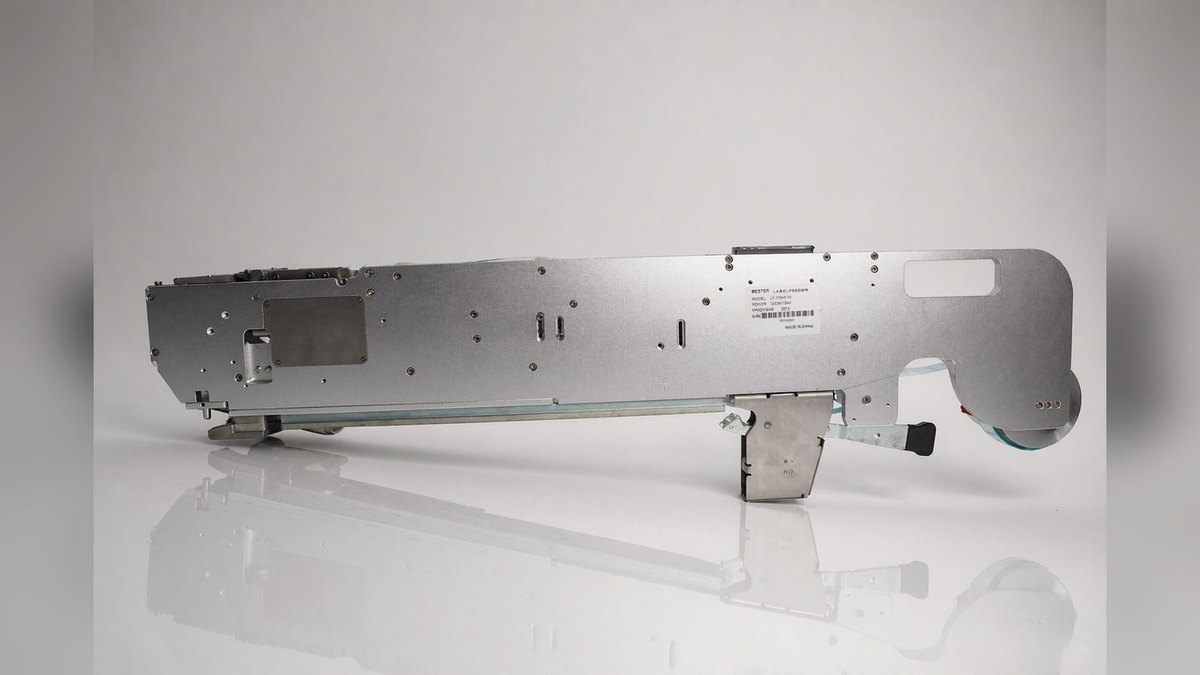
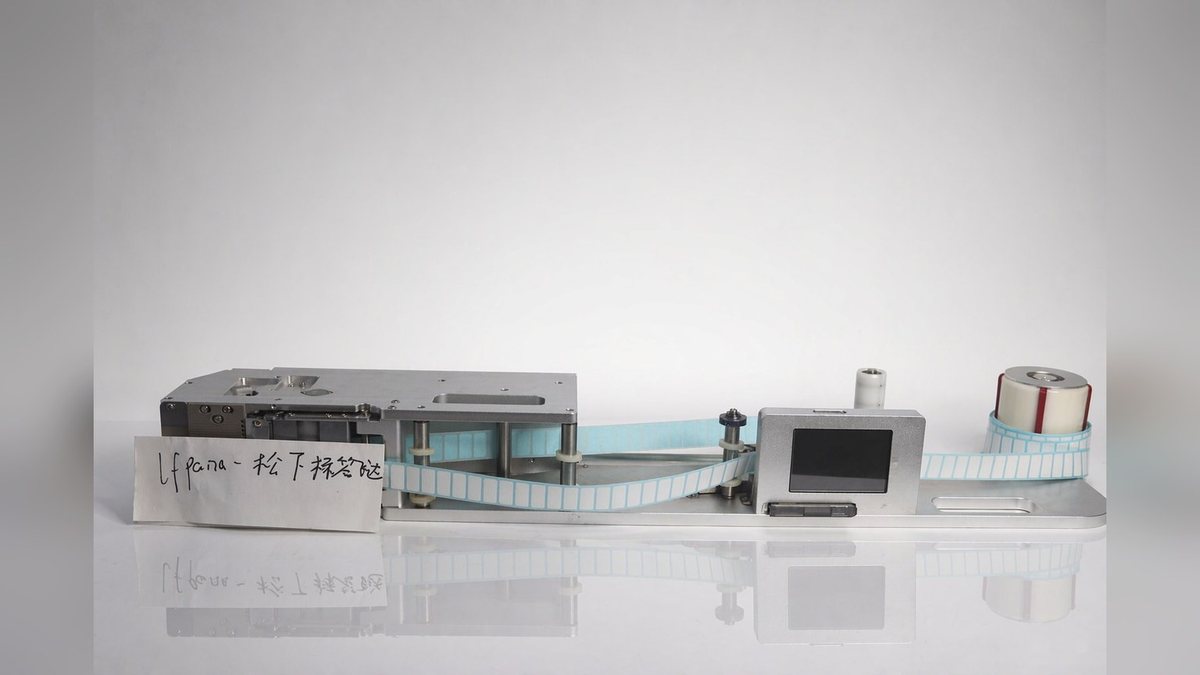
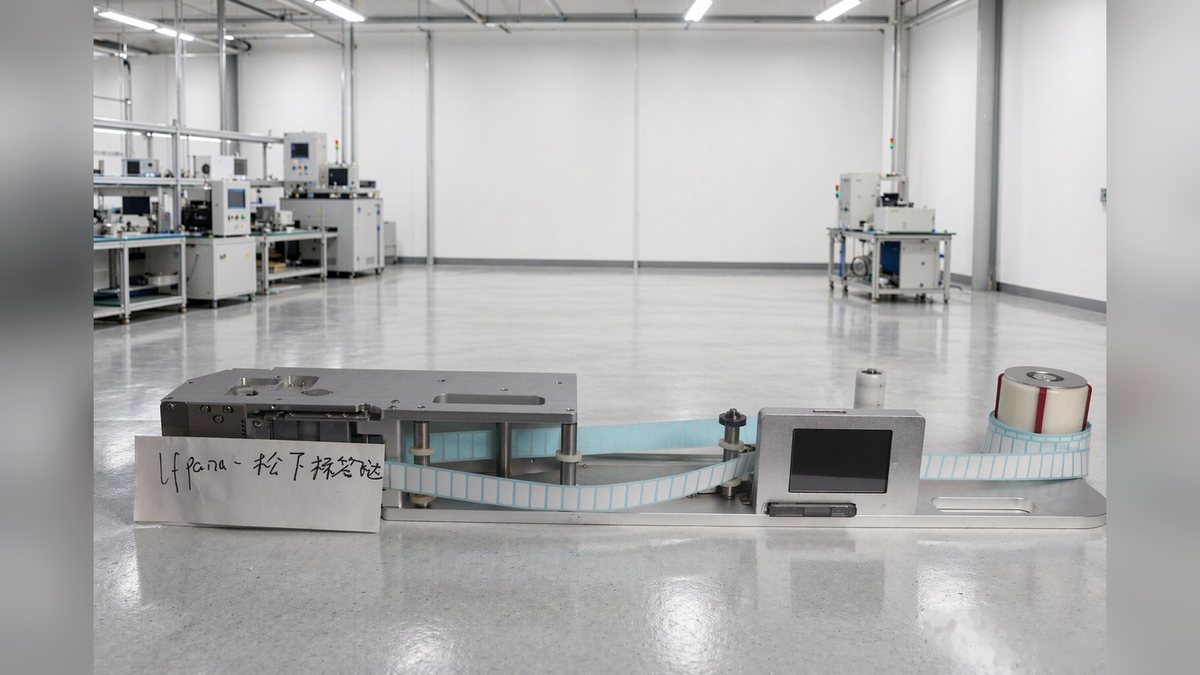
LFPANA-100 is a roll label feeder by BestFeeder for Panasonic mounters, compatible with the NPM / CM602 / CM402 series. It mounts on the mounter’s original feeder station; the placement head picks the label and places it directly onto the board, so the labeling process follows the placement program. Its coverage is wide: label width 2–98 mm, length L2–40 mm, 1–12 lanes, 1–12 fiber sensor channels. The same feeder can be built as a single row or multiple rows as needed, feeding a whole row of labels at once. Body 890 × 135 × 280 mm, weight 9.3 kg. For lines with many label types on the board, a wide size span, and the wish to load materials together with the mounter, it saves a separate loading step.
Main Parameters
| Item | Value |
|---|---|
| Model | LFPANA-100 |
| Compatible models | PANASONIC NPM / CM602 / CM402 |
| Dimensions (L×W×H) | 890 × 135 × 280 mm |
| Weight | 9.3 kg |
| Label width | 2–98 mm |
| Label length | L2–40 mm |
| Number of lanes | 1–12 |
| Fiber sensors | 1–12 channels |
| Operating voltage | 24 V DC, current must be greater than 2 A |
Structure and Configuration
Label loading starts at the label mounting sleeve: the roll goes onto the sleeve and passes the winding roller, then a retaining ring limits the roll to prevent side-to-side sway. Lateral positioning relies on the label guide width-limiting slider; use a hex wrench to loosen the set screw inside, move the guide block to the position matching the roll width, then tighten. The label strip then passes through the pressure plate, whose height is adjusted for label thickness with four set screws. Press the pressure cover lever down to open the pressure cover; the strip is clamped between the pressure cover and the drive shaft, and releasing the lever clamps it. The peeled empty strip is taken up by the waste strip recovery sleeve.
The number of lanes is configured from 1 to 12 as needed; each row has independent feeding action and fiber detection. Multiple rows can feed simultaneously, or only some rows can be used per the program. On one side of the panel is a touchscreen where the working mode (auto/manual), feed position, feed speed, feed delay, and production count are set. The production count increments per row fed, and a long press clears it. In the parameters you can also set the Chinese/English format and the communication signals for linking with the mounter, provided the signal cable is connected.
Application Scenarios
LFPANA-100 suits lines with a wide label format span: from 2 mm small labels to 98 mm wide labels, just change the roll within the feeder’s acceptable size range, with no need for a separate feeder per specification. Roll materials such as paper labels, FPC stiffener steel sheets, Mylar tape, foam, dust-proof mesh, and high-temperature tape can all be used; roll feeding is common in packaging, 3C, FPC, and electronics industries.
The benefit of multiple lanes is covering several label positions in one loading, reducing mid-run downtime for material changes, which is especially convenient for boards with frequent changeovers. There is no need to buy a separate labeling machine; with this feeder, attachment follows the mounter. Conversely, for large label areas, attachment positions requiring visual alignment, or workpieces that are not PCBs, a labeling machine line is still more suitable.
Installation and Adjustment
Before installation, check the feeder station’s available height and load capacity; the body is 890 mm long, so the mounting position must allow for that length. Power is 24 V, current greater than 2 A; avoid sharing one power plug with high-power equipment. The peeling blade and the receiving platform must not be struck or contaminated. During handling and installation, take care that feeders do not collide with each other or with other objects; impacts cause subtle damage and affect feeding stability.
When threading the strip, keep the strip angle straight; deviation directly shows at the peeling position. For large labels or labels prone to detaching early, the spring winding shaft can be bypassed to avoid early peeling caused by an excessive angle; for small labels that are hard to peel, turn the peeling blade to the side with a smaller angle. Adjust the fiber amplifier to this specification: the working set value should be about 200 greater than the sensing value with no material; the light is on with material and off without material. Adjust the feed position on the screen according to label size; if the label lifts or too much is fed, the value is too large, and if it does not reach position, increase it. When placement takt is not the goal, set feed speed at 30–50, prioritizing stability. Where the robot picks slowly and labels are fed fast, add a little feed delay, unit 0.1 s. For multi-lane models, confirm the limit and pressure plate height row by row; after adjustment, feed once manually to confirm peeling and position, then switch to auto.
FAQ
Q: Can one feeder supply several label sizes at the same time? A: Different rolls within the feeder’s acceptable size range can be loaded; when changing material, readjust the guide width-limiting slider and pressure plate height according to the roll width.
Q: Do multiple lanes interfere with each other? A: Each row has independent feeding action and fiber detection and is used per the program; when threading, confirm the limit and pressure plate height row by row to avoid one row deviating and affecting the whole row’s feeding.
Q: The fiber stays on or stays off? A: First check whether the working set value is about 200 greater than the sensing value with no material; too low misjudges material as present, too high misjudges it as absent. Then confirm whether the label actually passes the fiber detection point.
Q: How to change material? A: Switch to manual mode before loading or changing material. In manual mode you can feed step by step or move the roll forward or back a small step; after changing, switch back to auto mode to continue production.
After-Sales and Spare Parts
Before shipment, parameters are adjusted according to the sample provided by the customer; usually it can be used after connecting power on receipt. Online remote guidance can be arranged for unfamiliar operations, and if parts need replacement, send the product back for handling. The warranty period is one year from the date of purchase; during the warranty period, free repair is provided for faults caused by the product’s own quality problems. Beyond the warranty period, disassembly by unauthorized personnel, contact with solvents, acids, or alkalis or humid environments, and abnormal external impact are not covered by the free service; repair service is still available beyond the warranty period, charged by the actual replaced parts and labor hours. Spare parts are per contract; common wear parts such as peeling blades, pressure plates, sleeves, and fibers can be provided.
To confirm the LFPANA-100 configuration, only three pieces of information are needed: the Panasonic model in operation, the label width and length, and how many rows need to feed simultaneously. Send these three items to Kenny Pan, Sales Manager, mobile/WeChat +86 134 2139 1163, Sales@baxida-tech.com, and we will provide the mounting specifications and supporting list.